Using Google Analytics on the PheedLoop Website
Google Analytics is a powerful and common tool used by organizations to track website traffic. Currently, PheedLoop's website module supports GA4 tracking code.
Get Tracking Codes from Google Analytics
- From Google Analytics, select Admin
- Select a property from the list
- If the property is a GA4, navigate to Data Streams and select the stream you want to collect data from and copy the measurement ID (i.e. G-XXXXXXXXXX)
Enter the Tracking Code into PheedLoop
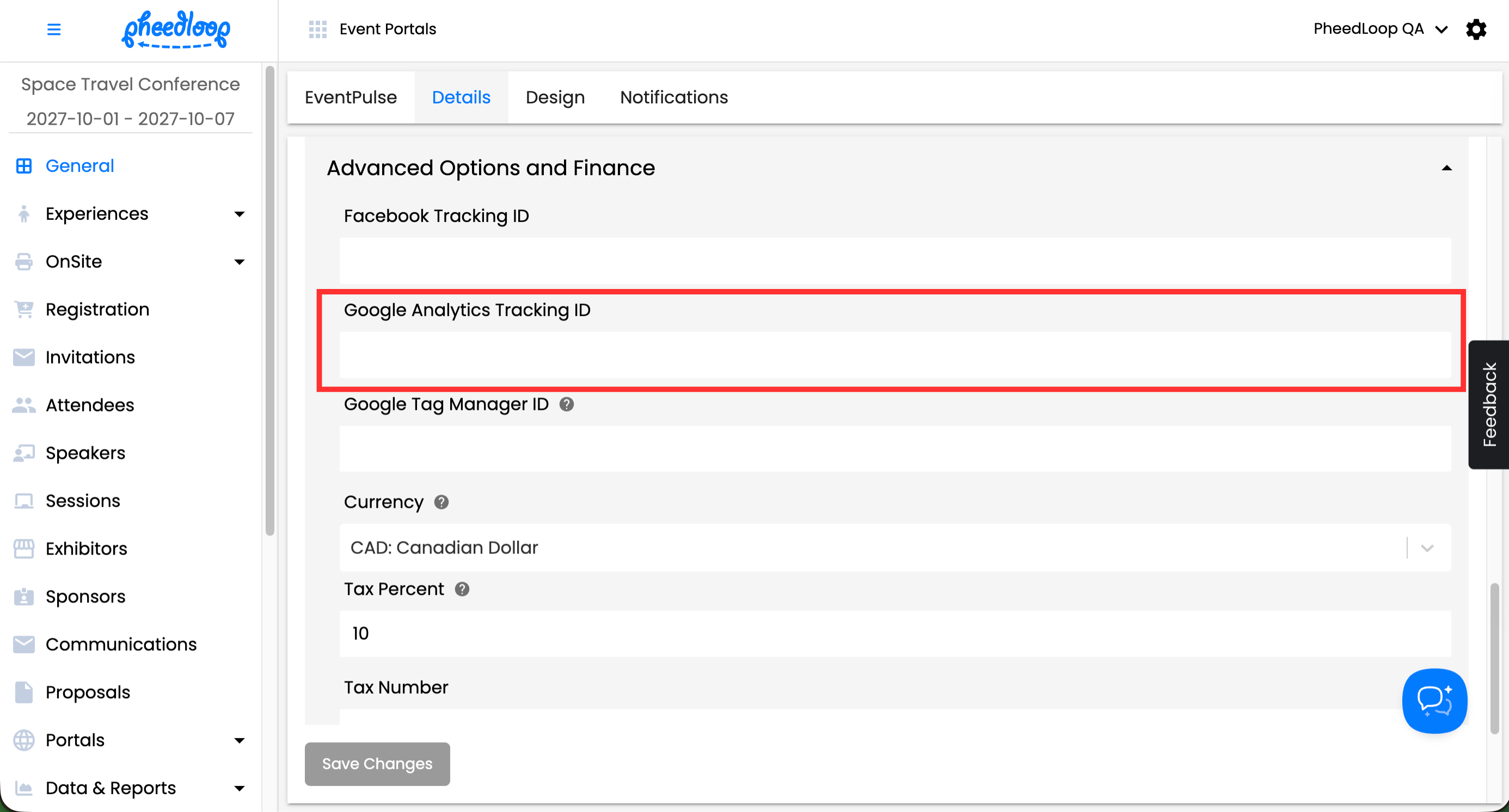
- From the PheedLoop Home Page, navigate to General > Details
-
Under Advanced Options and Finance, navigate to Google Analytics Tracking ID and paste the Tracking ID or Measurement ID
Once the Google Analytics Tracking ID field is populated in PheedLoop, the following events will automatically be collected:
| Parameter | Description |
|---|---|
| language | Device language |
| page_location | URL of the current page |
| page_referrer | The specific URL of the webpage a user was on immediately before arriving at the current page |
| page_title | The name of the page recorded at the moment the user views or interacts with it. |
| screen_resolution | The total width and height of a user's device screen in pixels (e.g., 1920 x 1080) |