Automating Custom Report Generation
Administrators can now configure custom reports to automatically send via email on a recurring schedule. This feature enables automated delivery of important event data without requiring manual report generation and distribution.
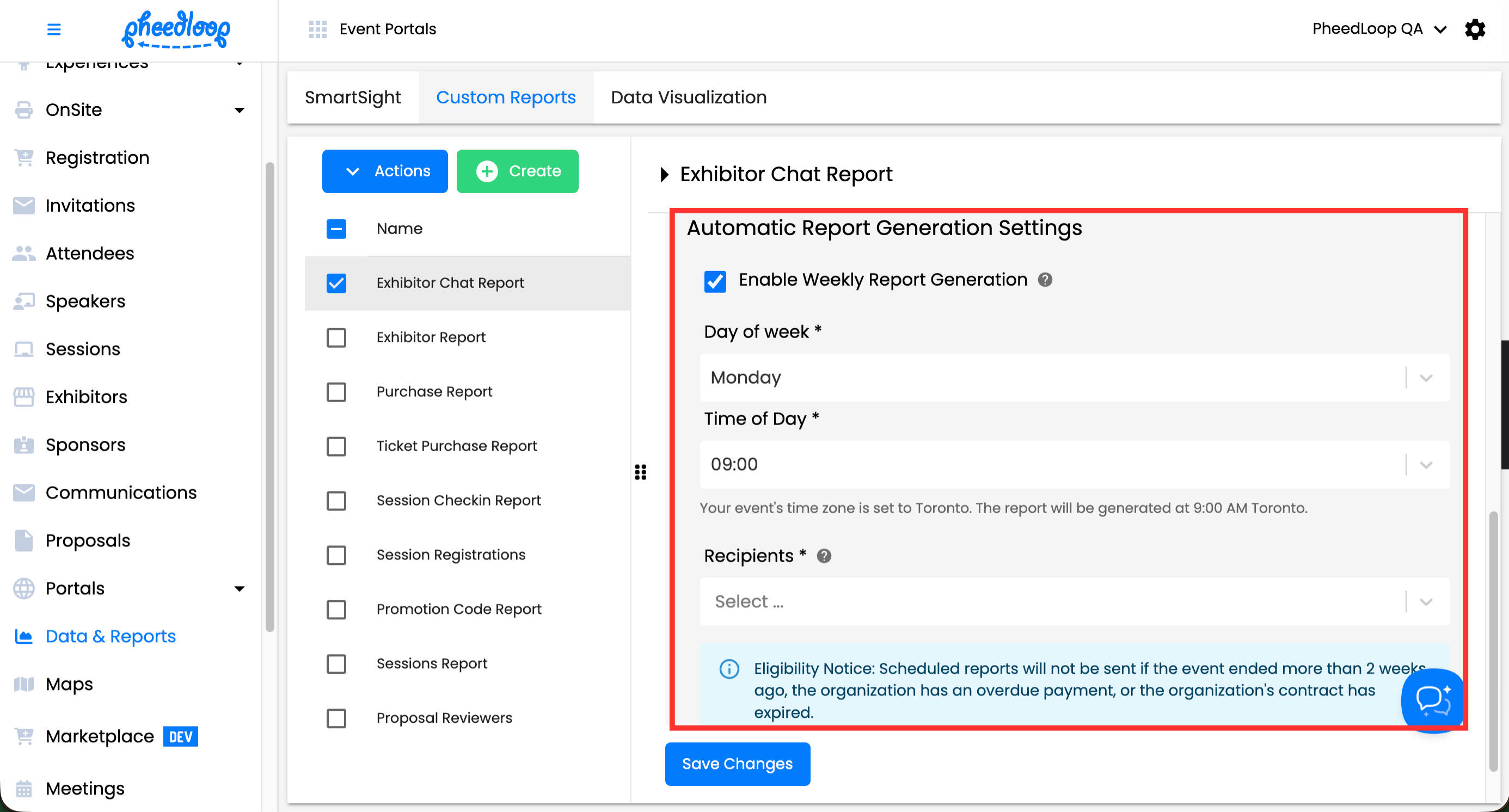
Reports are currently sent on a weekly basis. When setting up a scheduled report, you can adjust the following:
- Day of week: the day that emails should be sent
- Time of day: The time it should arrive in recipients' inboxes (based on your event's configured timezone). You can select times in 30-minute increments (e.g., 9:00 AM, 9:30 AM, 10:00 AM).
- Recipients: The administrator who should receive the email. The recipients must be existing administrators in your PheedLoop account in order to receive scheduled report emails.
For example, you could schedule your Registrations Report to send every Monday at 9:00 AM to your events team, ensuring they start each week with up-to-date registration data.
Eligibility Notice
Scheduled reports will not be sent if the event ended more than 2 weeks ago, the organization has an overdue payment, or the organization's contract has expired.
Steps to Configure Scheduled Email Delivery
- From the Event Dashboard, navigate to Data and Reports > Custom Reports
- Select the custom report you wish to adjust from the list
- Scroll down to Automatic Report Generation Settings
- Toggle on the Enable Automatic Report Generation checkbox
- Under the Day of week field, select the day of the week you wish to receive reports from
- Under the Time of day field, select the time to send emails
- Under the Recipients field, select the administrator(s) you wish to receive emails from
-
Select Save Changes