Creating Custom Event App Pages
Creating custom pages in your Mobile Event App is just one of the various customization options which will allow you to make your event as personable as possible. You can create a custom page for your Mobile Event App in the Event Dashboard, where you would normally edit the Pages which are pre-created.
This is a good feature if you want to add some additional information to your attendees that isn't covered by the default event app pages. This could be a schedule for the bus to the evening social or linking out to Sponsor's website page.
Contents
Creating Custom Content Pages
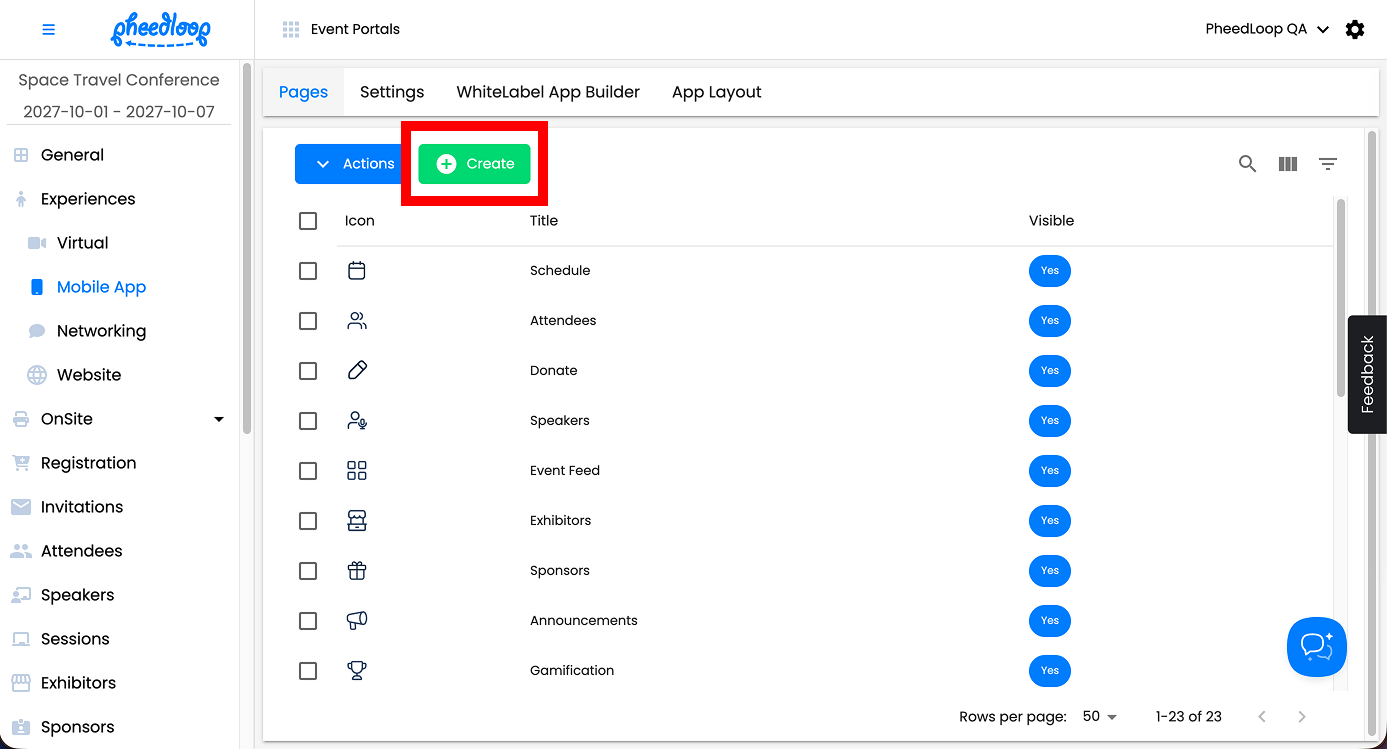
- From the Event Dashboard, navigate to Experiences > Mobile App > Pages
-
Above the pages table, select Create
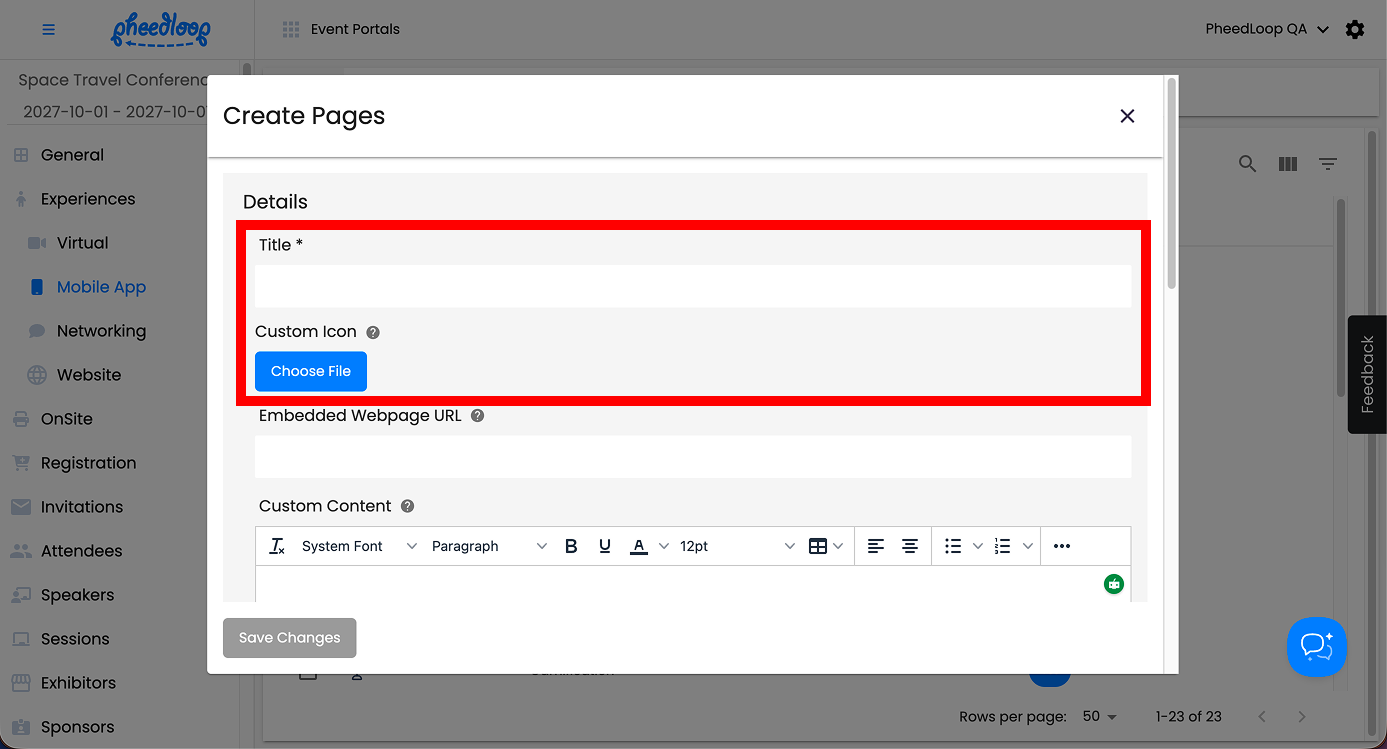
- Fill out the Title
-
Under the Custom Icon field, select Choose File if you wish to upload a custom icon for the page
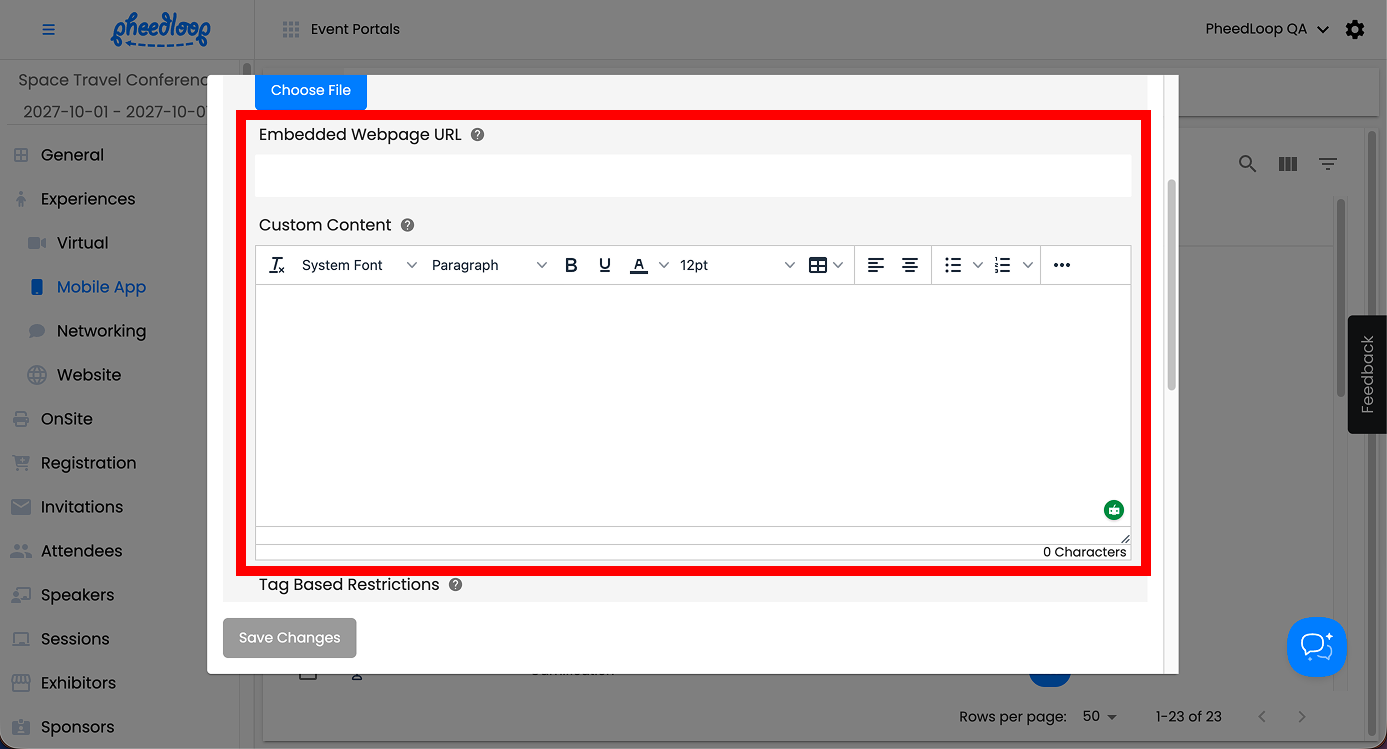
- To redirect to an external site, enter the URL in the Embedded Webpage URL field
- Under Custom Content, fill out the text box with your intended information
-
You can add images, gifs, and text to this field.
-
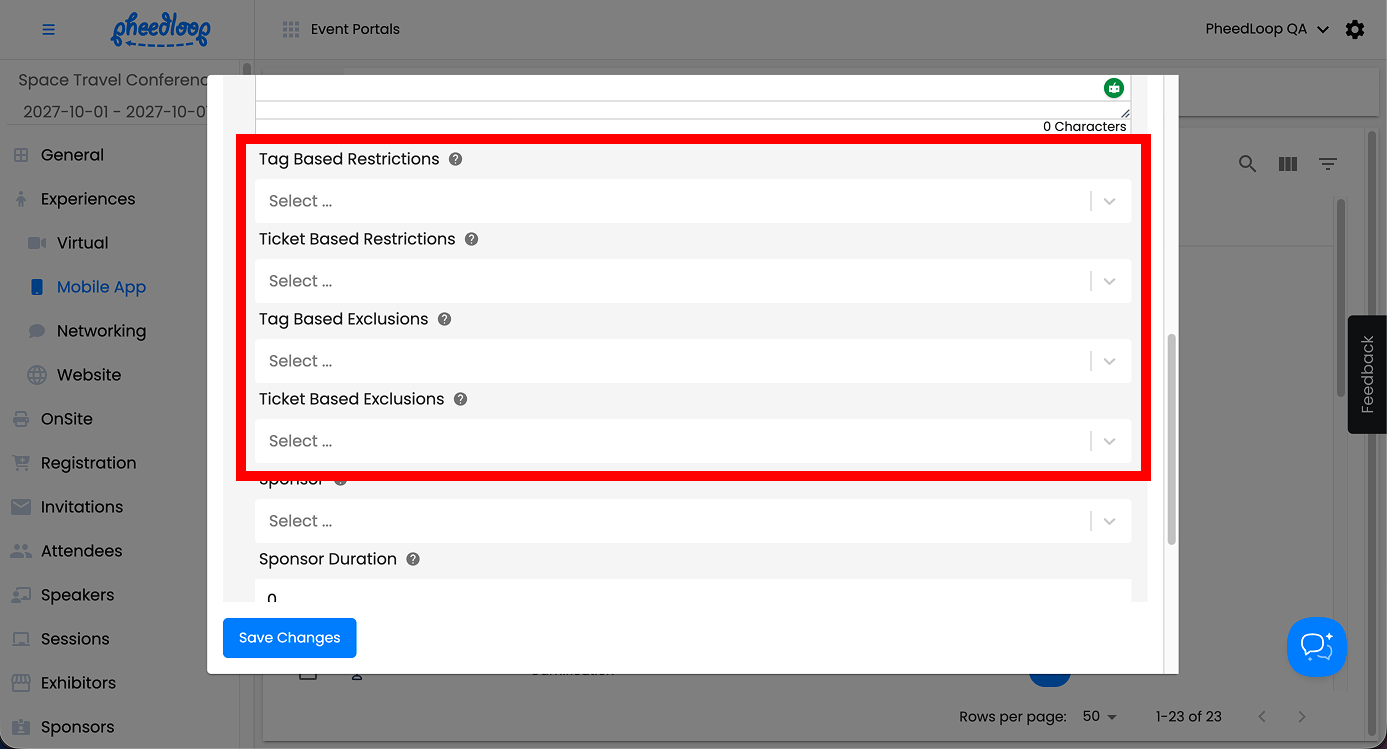
- Define your tag and ticket requirements using the restriction and exclusion fields
-
To learn more about this, please refer to our How Can I Create and Organize Sub Pages in the Event App article.
-
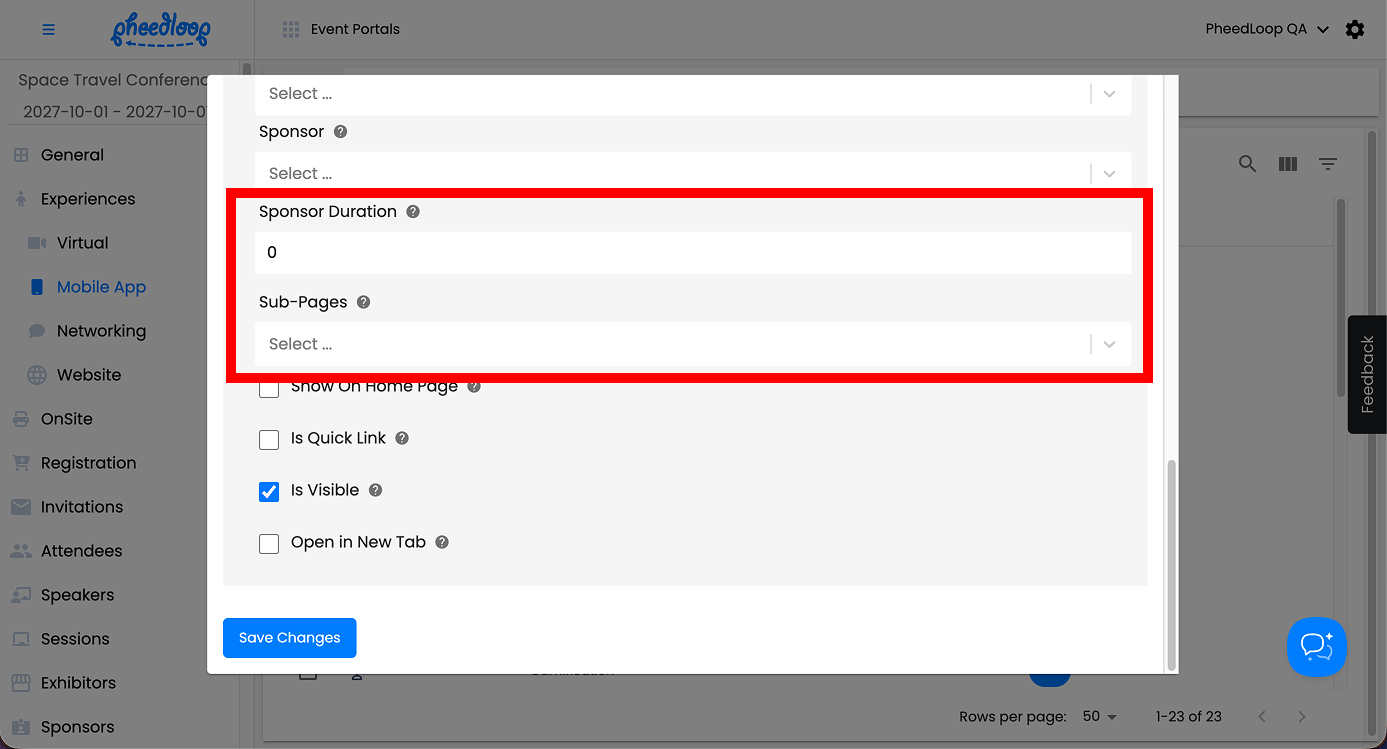
- If you would like to assign a sponsor to the Custom Page, use the Sponsor and Sponsor Duration fields
- If you want to assign multiple pages under your Custom Page, use the Sub-Pages field
- For more information, please refer to our How Can I Create and Organize Sub Pages in the Event App article.
-
Please note, the custom page that will serve as the parent to the sub pages will not have their content viewable. This means that anything entered in the Custom Content field, among others, will not be available.
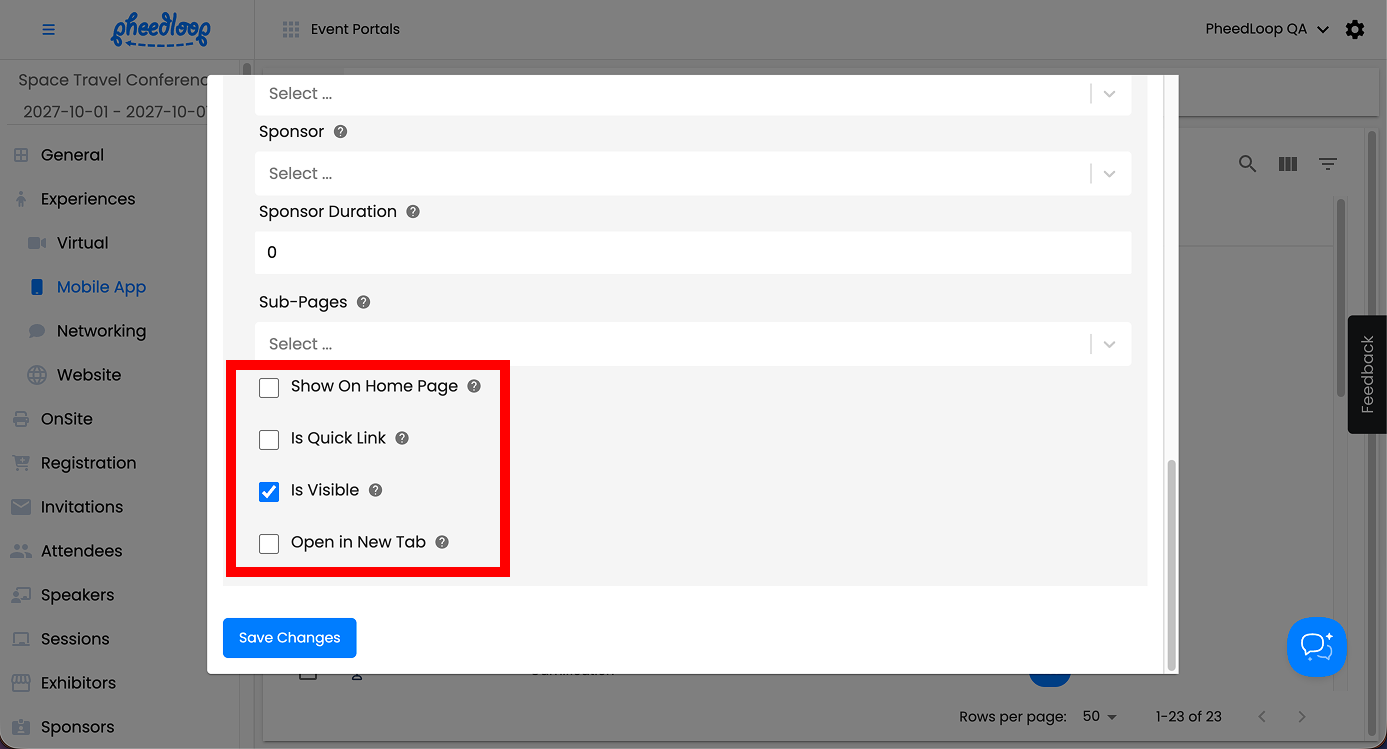
- Toggle on the Is Quick Link checkbox to show page as a block item on the home page of the event app
- Toggle off the Is Visible checkbox to hide the page from the Mobile Event App
- Toggle on the Open in New Tab to open the page in a browser when it's clicked on in PheedLoop Go 2.0
-
Select Save Changes
Conclusion
Custom pages in your Mobile Event App provide an excellent opportunity to personalize the event experience for attendees. Whether you're adding unique content, embedding external websites, or assigning sponsors, custom pages offer a range of flexible options to enhance engagement. By utilizing features like tag and ticket restrictions, you can ensure that the right content reaches the right audience.